









Basedash for Excel:将任何Excel文件转变为实时仪表板
提示:文末链接直达Basedash for Excel官网⬇️⬇️⬇️
产品介绍: 将任何Excel文件转变为实时仪表板
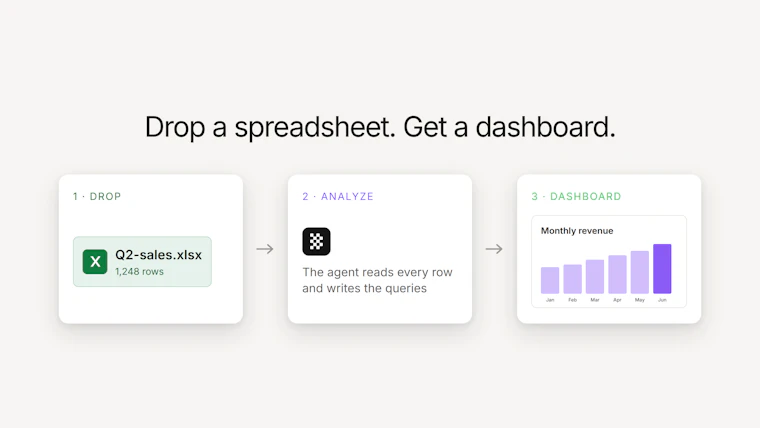
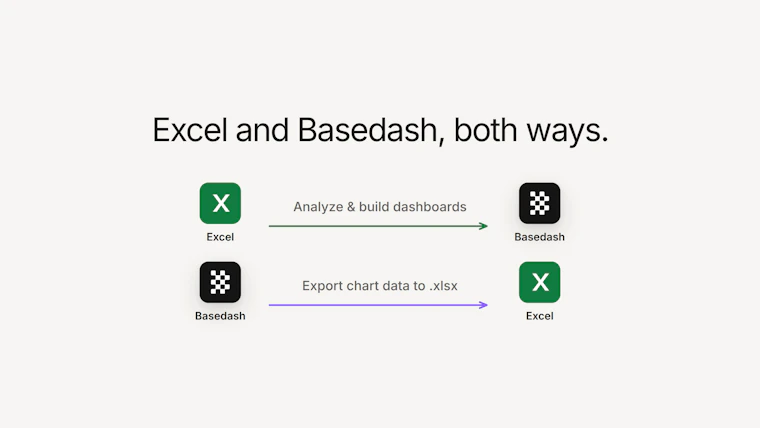
Basedash现已支持Excel双向操作。将xlsx文件放入智能体,它会读取数据、分析数据,并在数秒内构建图表和仪表板——无需公式,无需数据透视表。然后一键将任意图表的数据导出回xlsx文件,并继续在电子表格中工作。对于日常使用Excel的团队来说,这是在他们信赖的文件之上添加AI数据分析师、实时仪表板和实时协作的最快方式。从Excel到仪表板,再返回。
小编简评: Basedash for Excel 让Excel用户无需复杂公式或数据透视表,通过AI智能体快速将普通表格转化为交互式仪表板,并支持一键双向数据导出。它无缝融合了Excel的便利性与AI的自动化分析能力,是数据爱好者提升效率的神器——从拖拽文件到生成可视化,全程不到十秒,堪称“懒人版”商业智能工具。
用户评价:
“太方便了!直接把Excel拖进去就生成仪表板,省了好多时间。”
“终于不用折磨数据透视表了,AI自动分析真香。”
“双向导出很实用,Dashboard做完还能回Excel继续调整,完美。”
“建议增加更多图表样式,目前基本够用,期待更新。”
英文介绍: Turn any Excel file into a live dashboard
Basedash now works with Excel, both ways. Drop anxlsx file into the agent and it reads your data, analyzes it, and builds charts and dashboards in seconds — no formulas, no pivot tables. Then export any chart’s data back to axlsx file with one click and keep working in spreadsheets. It’s the fastest way for teams who live in Excel to add an AI data analyst, live dashboards, and real-time collaboration on top of the files they already trust. From Excel to dashboard, and back.
以下是产品图片:(文末链接直达产品官网⬇️⬇️⬇️)

官方网站: Basedash for Excel
您觉得这个产品怎么样?有什么亮点或不足?可以分享给您的朋友一起探讨!
每天下午16:00,实时同步 Product Hunt 精选榜单,用中文呈现全球顶级开发者、创业者的奇思妙想,准时链接全球创意!欢迎持续关注~~~